Pool Server SHA256d · Scrypt · Skein · Qubit · Odo Solo Mining

GoSlimStratum

Lightweight Multi-Coin Stratum Solo Mining Pool. Built to scale — battle-tested at 14+ PH/s with thousands of simultaneous miners, all running on modest hardware. Now with the Hash Hopper: one port that keeps your SHA256d rigs on the best of your own chains. Stratum V2 runs side-by-side with classic Stratum V1 on the same pool.

< 20 MB
RAM
11 Coins
5 Algorithms
Native
ARM64/AMD64
14+ PH/s
Battle-tested
1,000s
Concurrent Miners
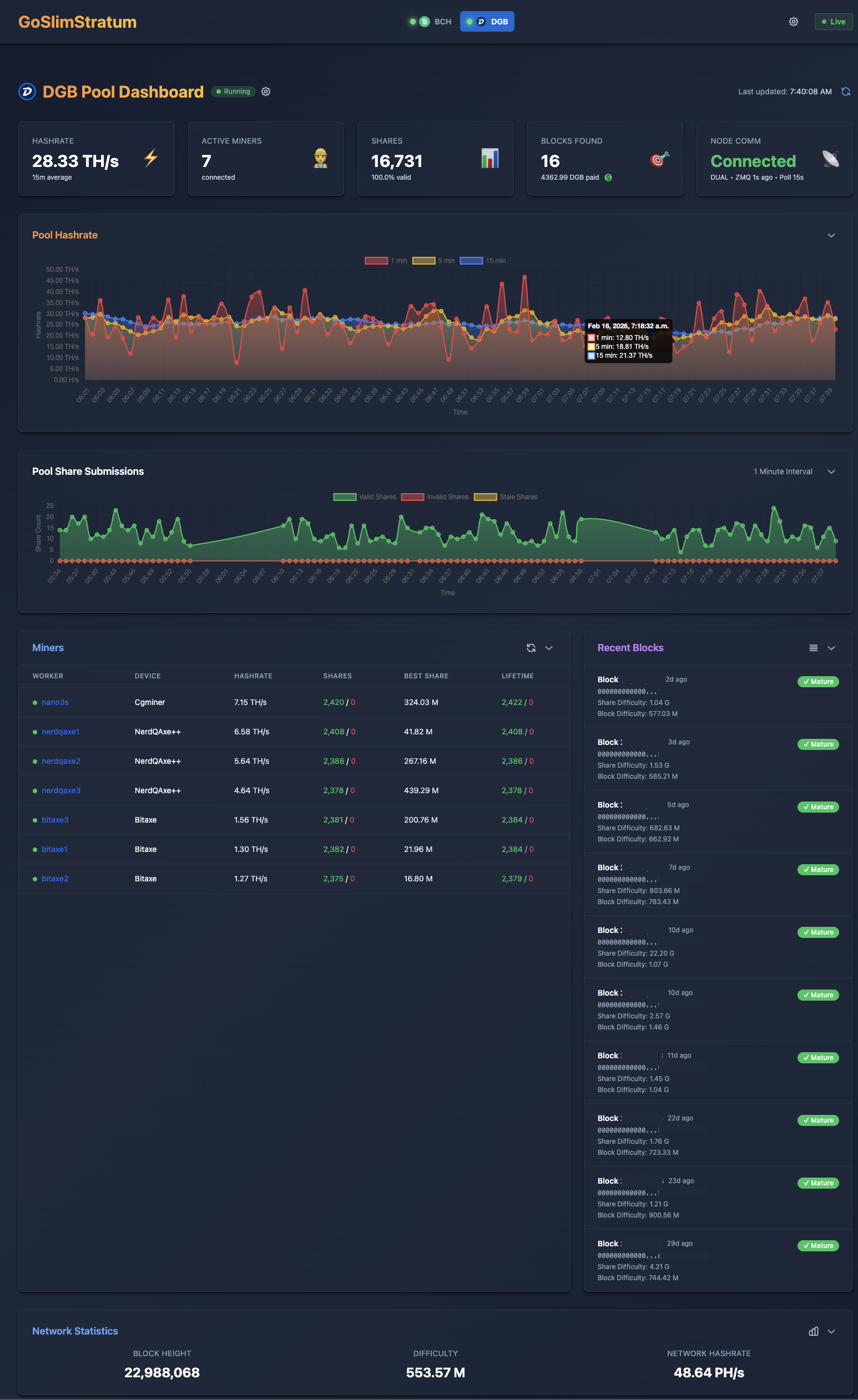
GoSlimStratum Pool Dashboard
NEW in 6.0

Hash Hopper

Point your rigs at one port. GoSlimStratum keeps each of them on whichever of your SHA256d coins gives the most blocks for its hash right now, and moves them when that changes.

Chain hopping on your own server

Small SHA256d chains change difficulty every block, and their difficulties cross each other all day. A solo miner who watches them by hand and repoints rigs is doing a job the pool can do.

Multipools have hopped hash for years, on their nodes and into their wallet. The Hash Hopper does it between the coin pools you already run in GoSlimStratum: your nodes, your addresses, your blocks.

  • One port for every chain. Miners sign in as hopper.<profile>, with no wallet address in the username.
  • No reconnects. A rig is never reconfigured and never reconnects when it is moved. It is simply sent work for the new chain.
  • Rewards go straight to you. Each block pays the address you gave for that chain, in the block itself.
  • Your coin pools still do the mining. The hopper only chooses and moves. A block found through it is that coin’s block, on that coin’s Blocks and Earnings pages.
  • Stratum V1 and Stratum V2. The hopper can have a V2 port of its own beside its V1 port.
Pool URL: stratum+tcp://YOUR-IP:HOPPER-PORT Username: hopper.myfarm.bitaxe2 Password: x

That is the whole miner set-up: the hopper’s port, a profile name and an optional rig name.

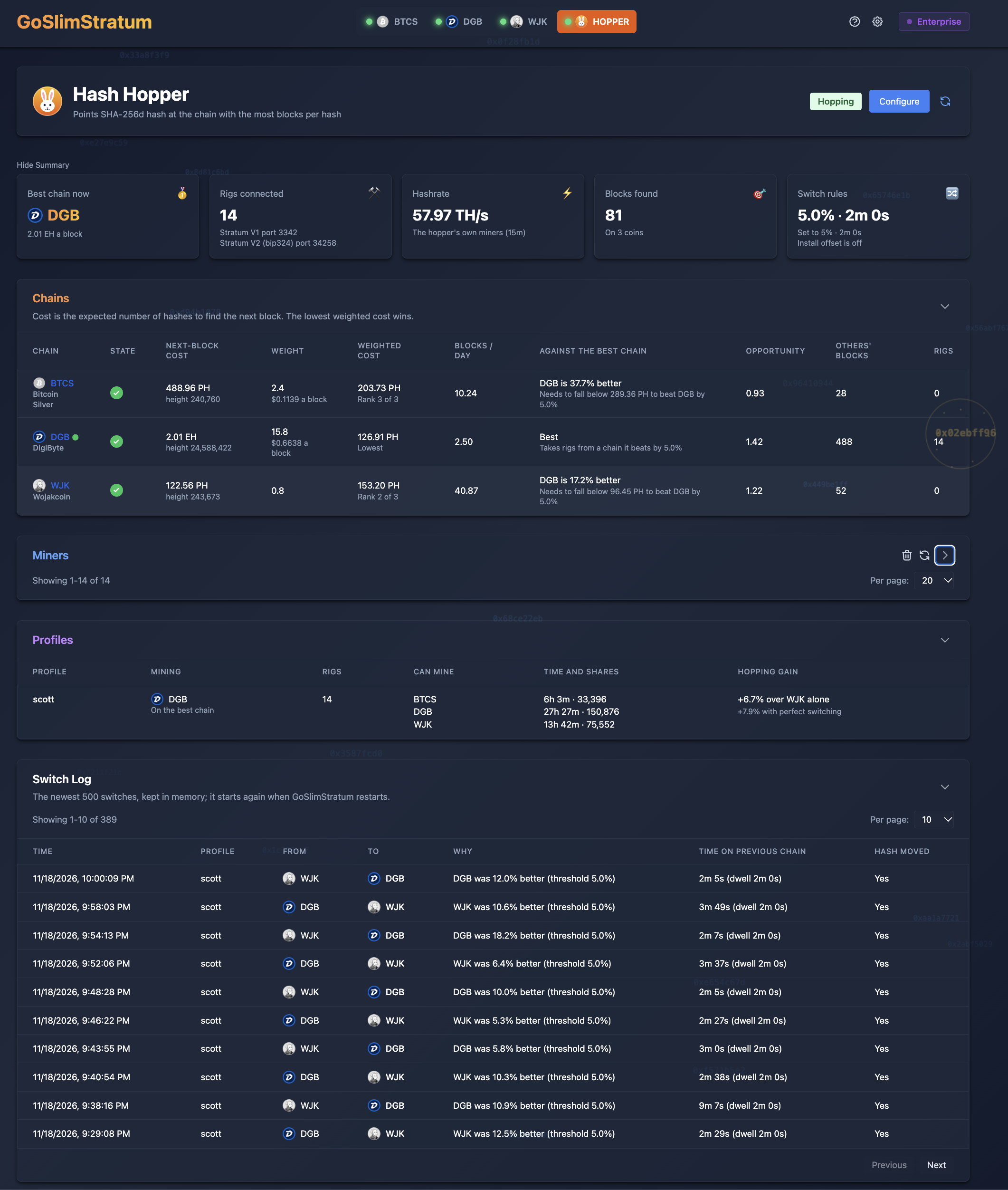
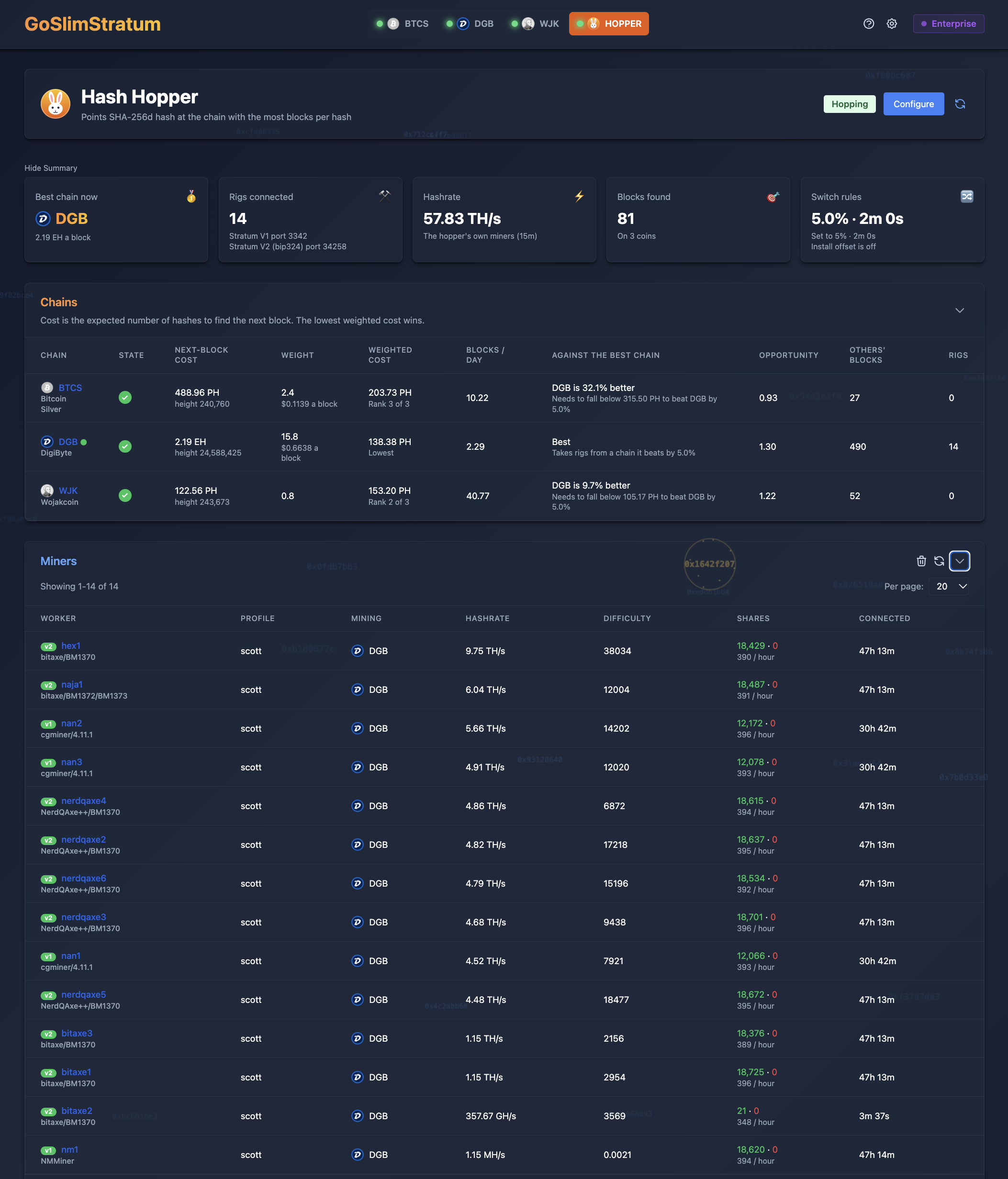
GoSlimStratum Hash Hopper page: chains, profiles and switch log

The Hash Hopper page on a live fleet: 14 rigs hopping between DigiByte, Bitcoin Silver and WojakCoin. Click to enlarge.

One port
For every chain you hop
No reconnects
When a rig changes chain
Your address
Paid in the block itself
Shadow mode
Watch it before it moves any hash

Lowest Cost Wins

A chain’s cost is the number of hashes it is expected to take to find its next block, read from the network difficulty right now. The hopper mines the chain with the lowest cost divided by the weight you set.

Weights & Presets

A weight says what a block on that chain is worth to you. The hopper maximises blocks, not value, and never looks at prices itself: you decide. The config page can suggest weights from today’s block value, and named presets swap a whole set without a single rig reconnecting.

Rules That Keep It Honest

A switch threshold and a minimum dwell stop rigs bouncing on every block. A liveness check passes over a chain that only looks cheap because nobody is mining it. A chain whose node goes down is left at once.

Shadow Mode

On by default. It scores your chains and logs every switch the hopper would make, without opening a port or moving any hash. It needs no license and no Direct-to-Miner mode. Run it for a day, then turn it off when you like what you see.

Know Whether It Pays

Hopping gain compares what your rigs earned, in expected blocks, with leaving them on the one chain that would have done best alone, and with perfect switching. The Switch Log gives the reason for every move.

Profiles

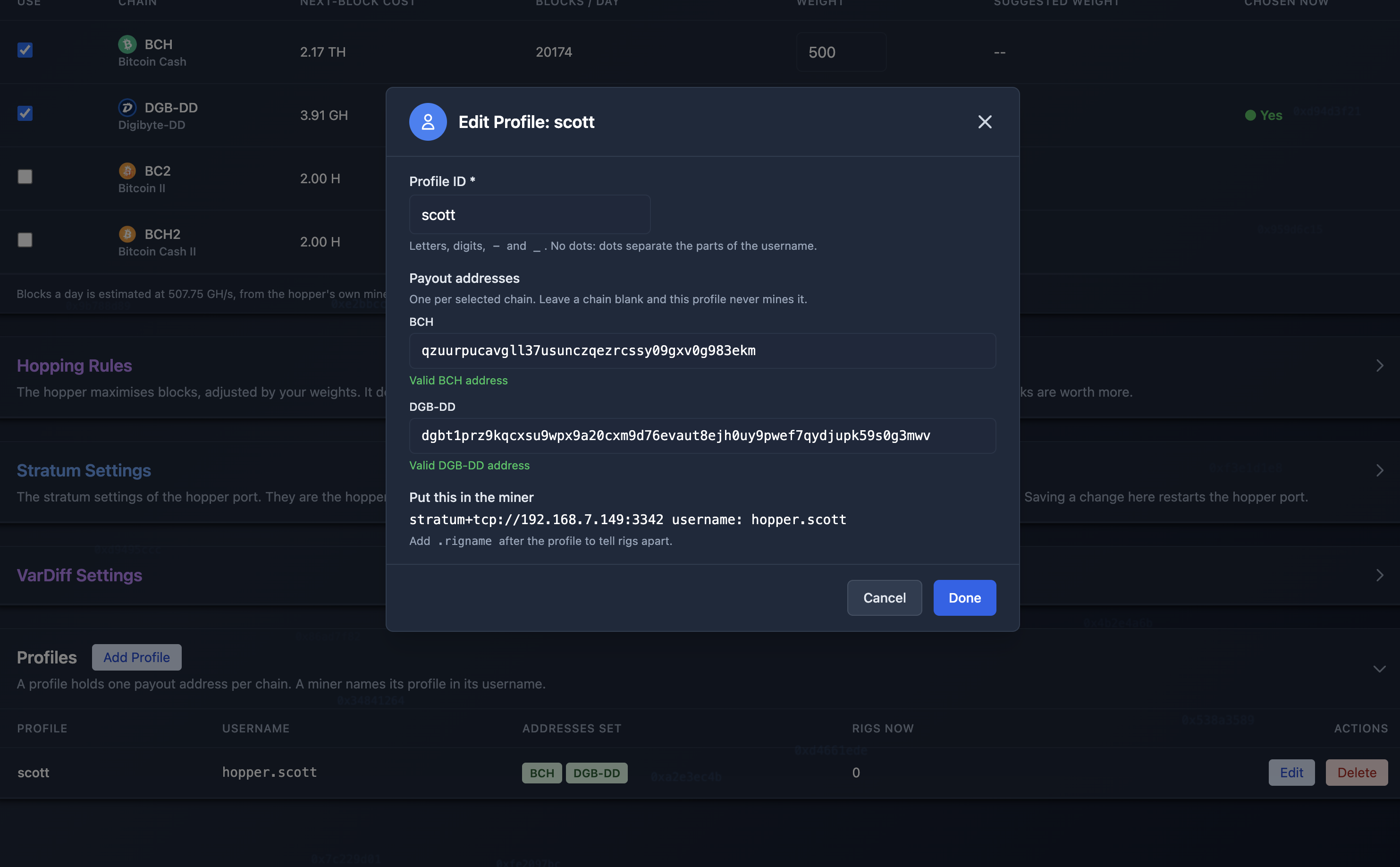
A profile is a name plus one payout address per chain, each checked against that coin’s address rules. Run several profiles at once, or leave a chain’s address blank and that profile never mines it.

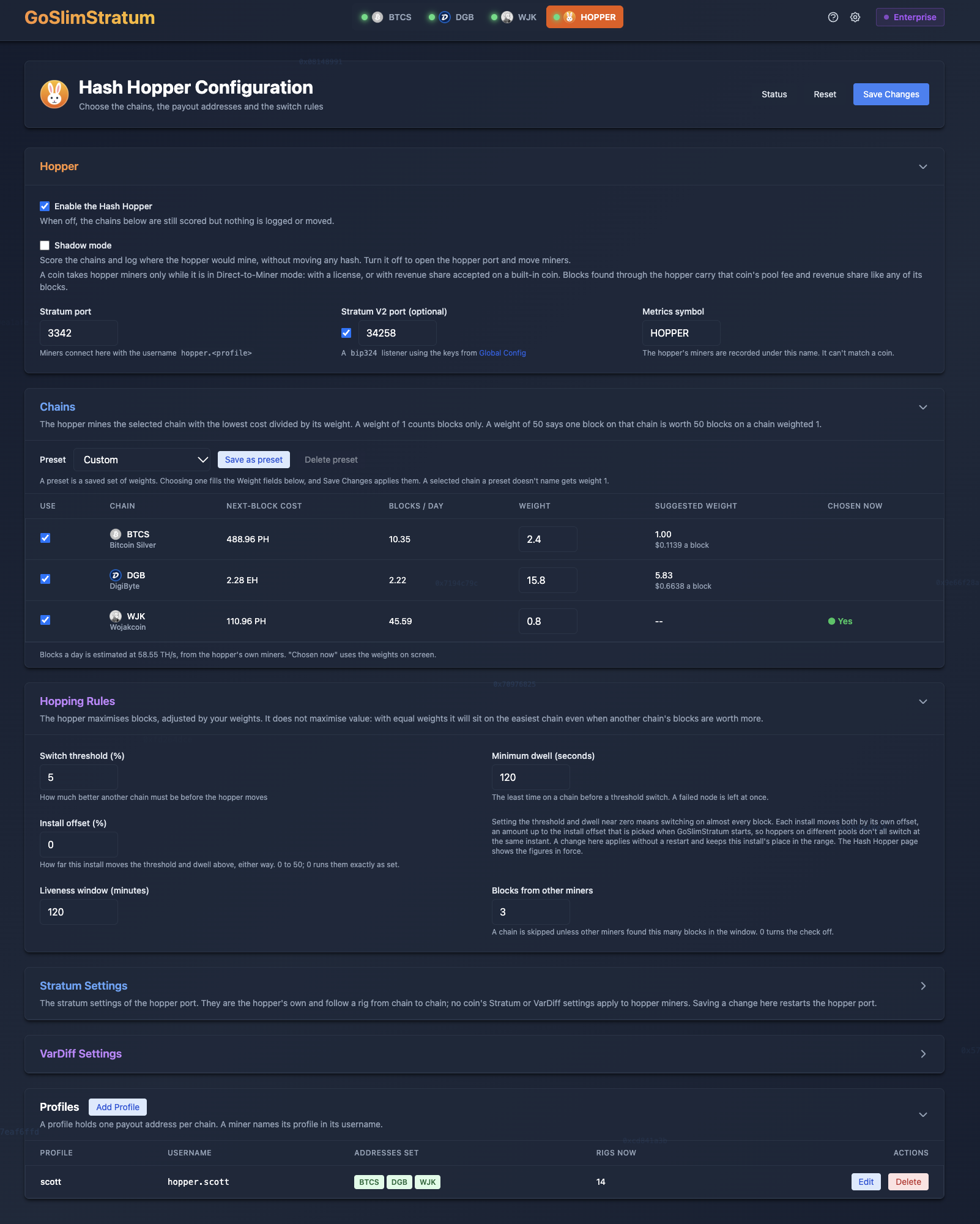
Hash Hopper Configuration
Hash Hopper Configuration - Chains, weights, presets, switch rules and profiles
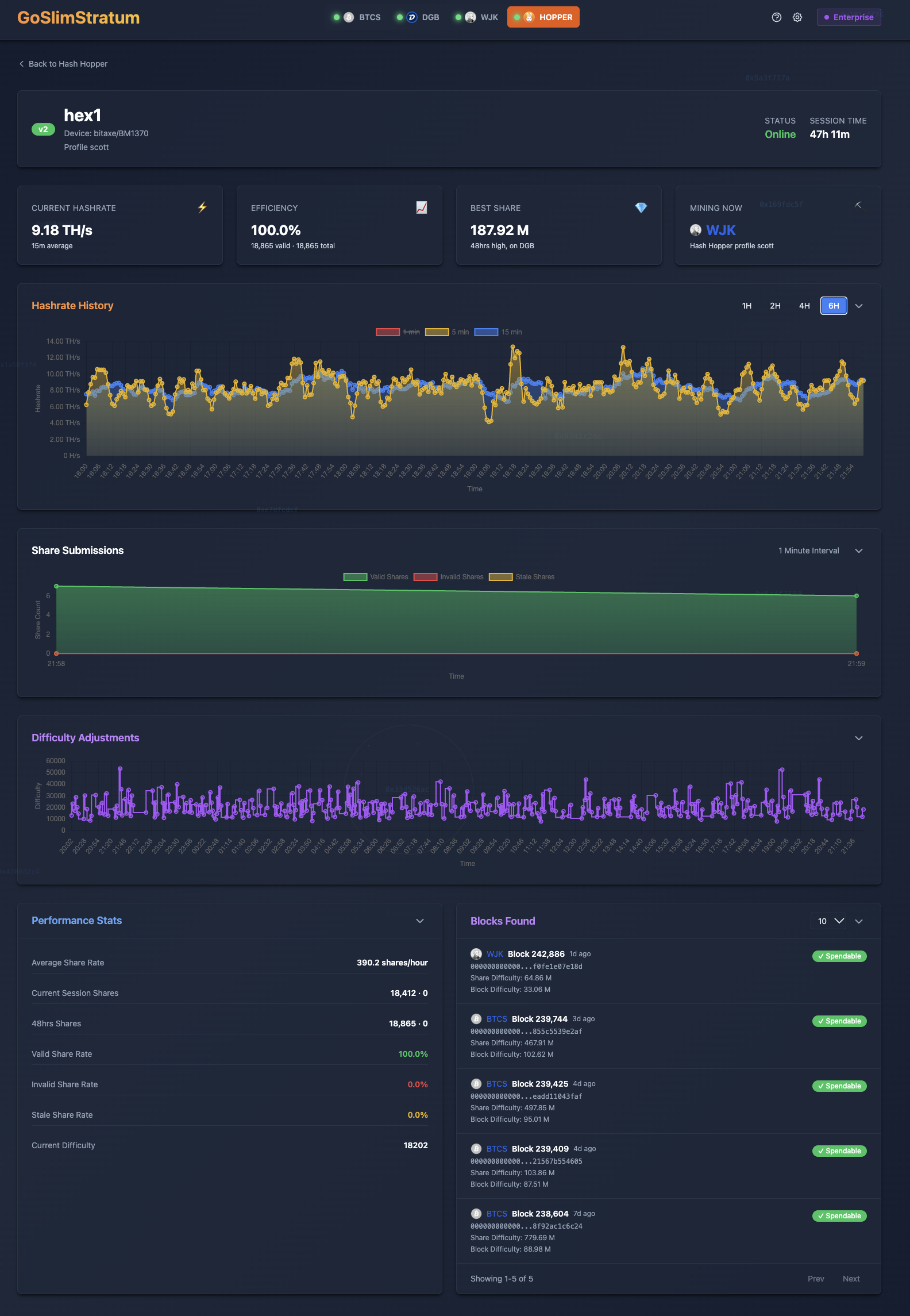
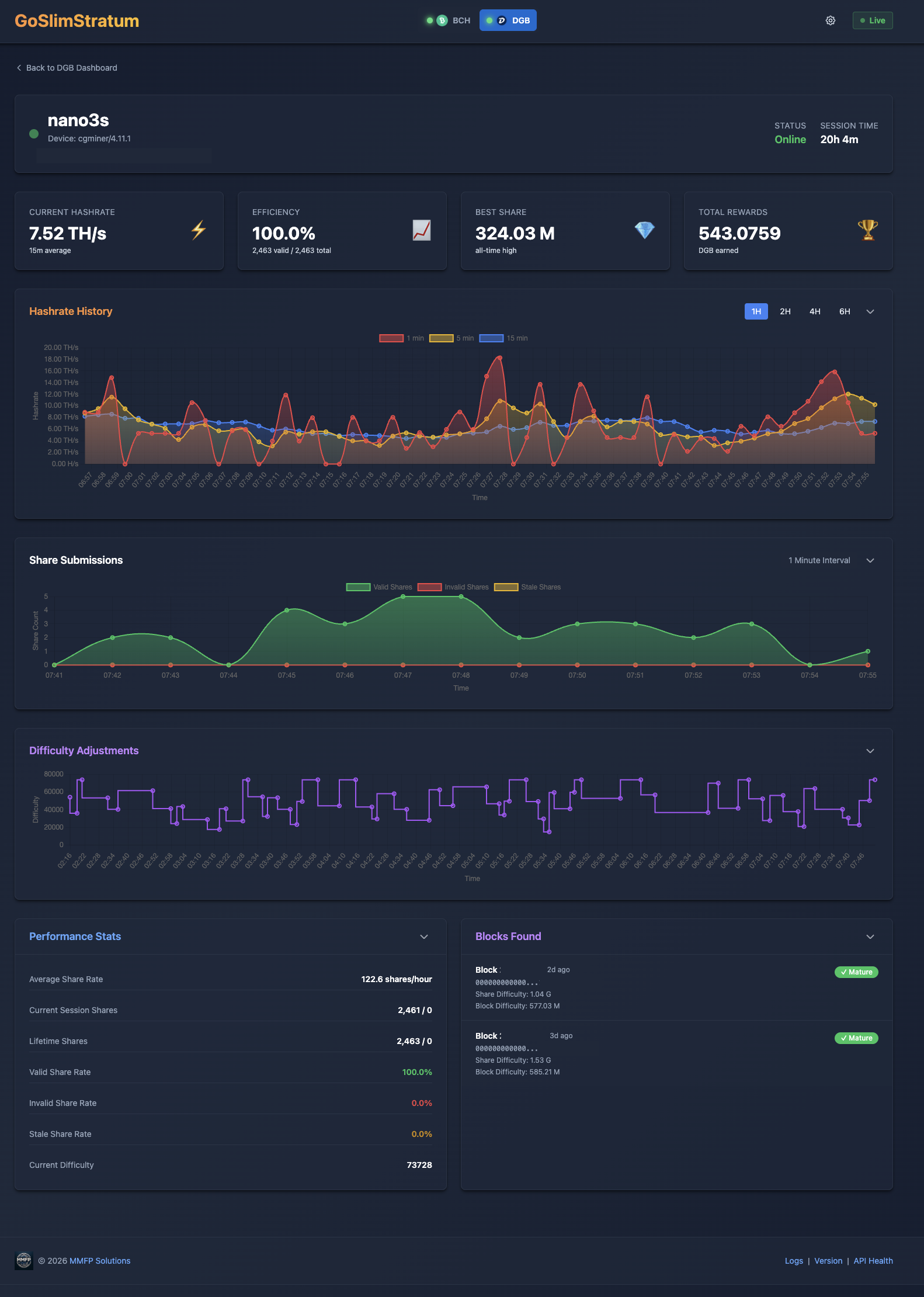
Hash Hopper Rig Details
Rig Details - One rig across every chain: hashrate, best share and blocks found
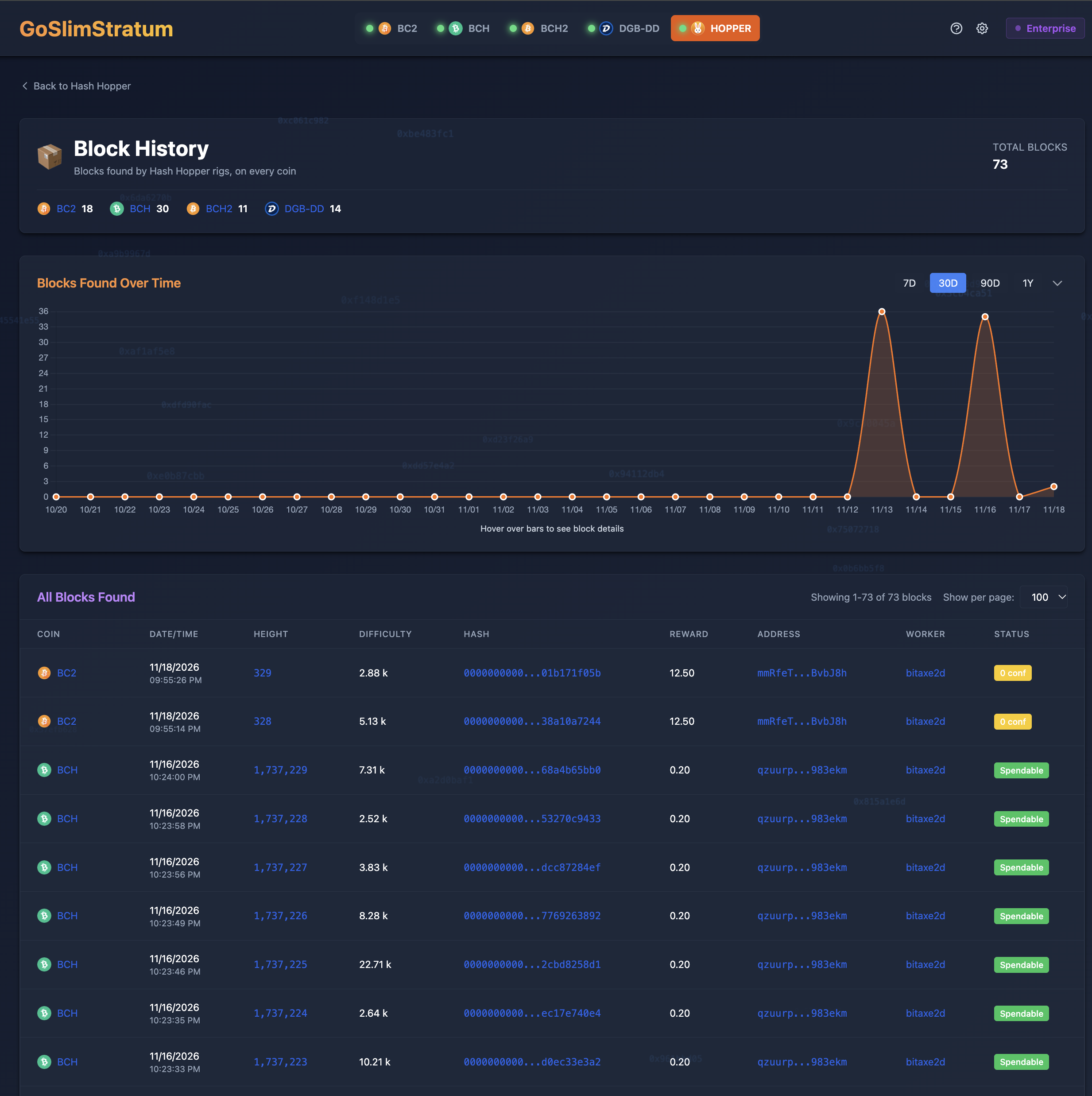
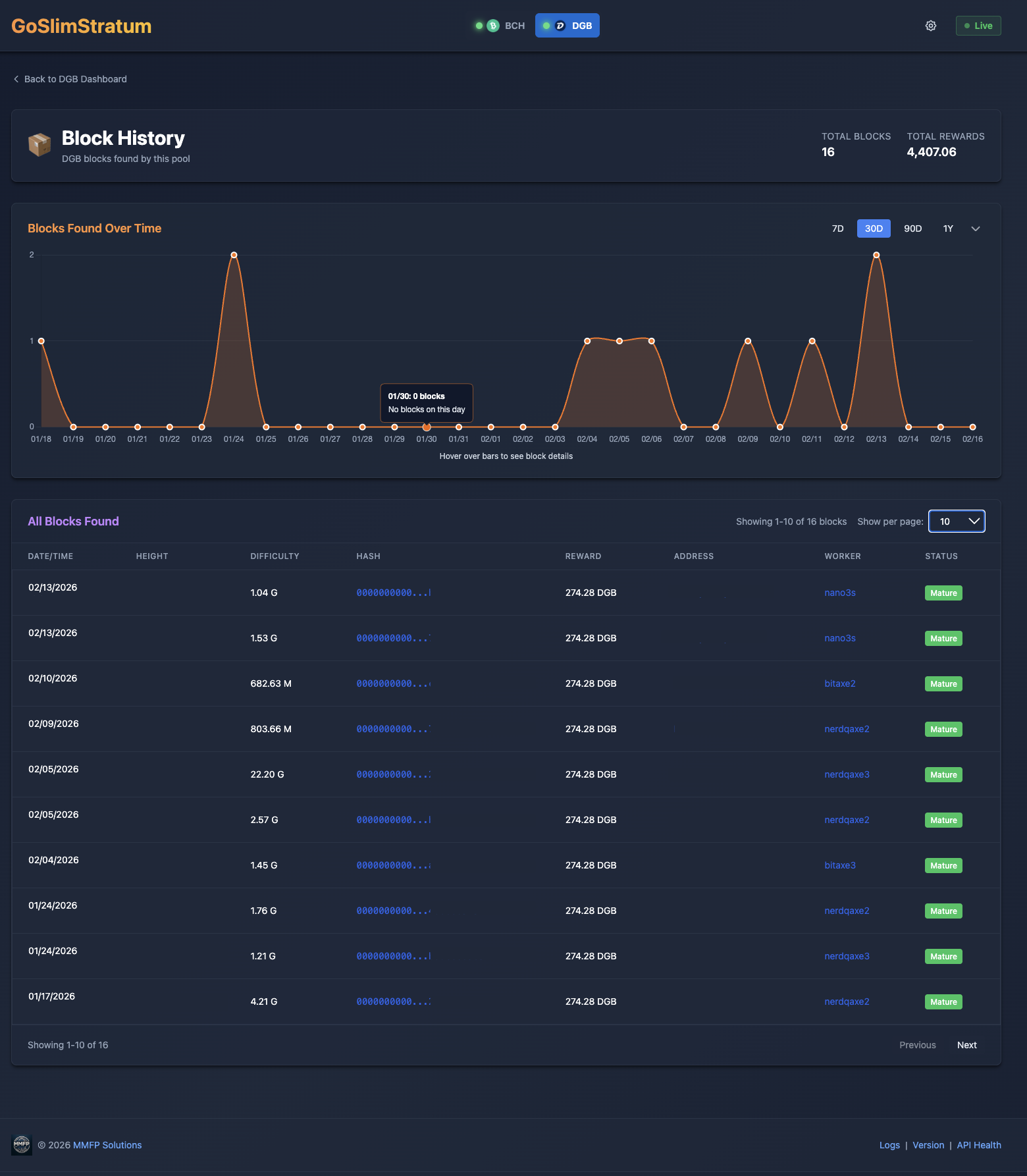
Hash Hopper Block History
Block History - Every block the hopper’s rigs have found, on all coins in one list
What You Need

Two or more SHA256d coin pools in your GoSlimStratum, each running with a healthy node and in Direct-to-Miner mode. Scrypt, Skein, Qubit and Odo coins can’t take part.

License

No separate license. Direct-to-Miner mode on each coin is the only requirement: free on built-in coins with the 0.5% revenue share, or licensed with none. A hopper rig counts once toward your miner limit.

Built For

A home or solo miner’s own rigs. It’s off until you turn it on, and saving a change to weights, rules or addresses needs no restart.

Features

Everything you need for a production-ready solo mining pool.

Stratum V2 — Encrypted & Authenticated

NEW in 5.0

The next-generation mining protocol — BIP-324 / BIP-340 compliant, with Noise-protocol encryption (same crypto family as WireGuard and Lightning) and BIP-340 Schnorr-signed server certificates so miners verify they’re talking to your pool. Binary frames mean less CPU on the wire and a little more for hashing.

  • Runs side-by-side with V1 on different ports
  • Zero firmware changes for V1 miners
  • One-click pool key generation in Web UI
  • Full DTM + revenue share parity with V1
  • Both Extended & Standard mining channels
  • Multi-variant ready (SRI coming when it ships)
Crypto Stack
Noise_NX_Secp256k1
+EllSwift_ChaChaPoly
_SHA256
Server Cert
BIP-340 Schnorr
Algorithms
Any SHA256d coin
(BTC, FB, BCH, BCH2, BC2, BTCS, DGB, XEC, WJK, or custom)

Merged Mining — One Share, Two Chains

NEW · DGB PARENT

AuxPoW merged mining puts one Scrypt share to work on two chains at once. Litecoin or DigiByte-Scrypt as the parent, Dogecoin as the aux chain — and on both chains the reward is paid straight from the coinbase to the miner’s own address. The pool never holds the aux reward. A capability unique to GSS among stratum implementations.

  • LTC or DGB (Scrypt) parent → DOGE aux chain
  • Per-miner DTM coinbase on both chains
  • Pool fee & revenue share on the aux chain too
  • Opt-in per miner — no aux address, no merge
  • Aux addresses validated at authorize time
  • Per-miner dashboard badge shows who is merging
Parent Chains
LTC · DGB
(Scrypt)
Aux Chain
DOGE
Aux Payout
Coinbase straight to the miner — zero pool custody

DigiDollar Stats — DigiByte

NEW in 5.2

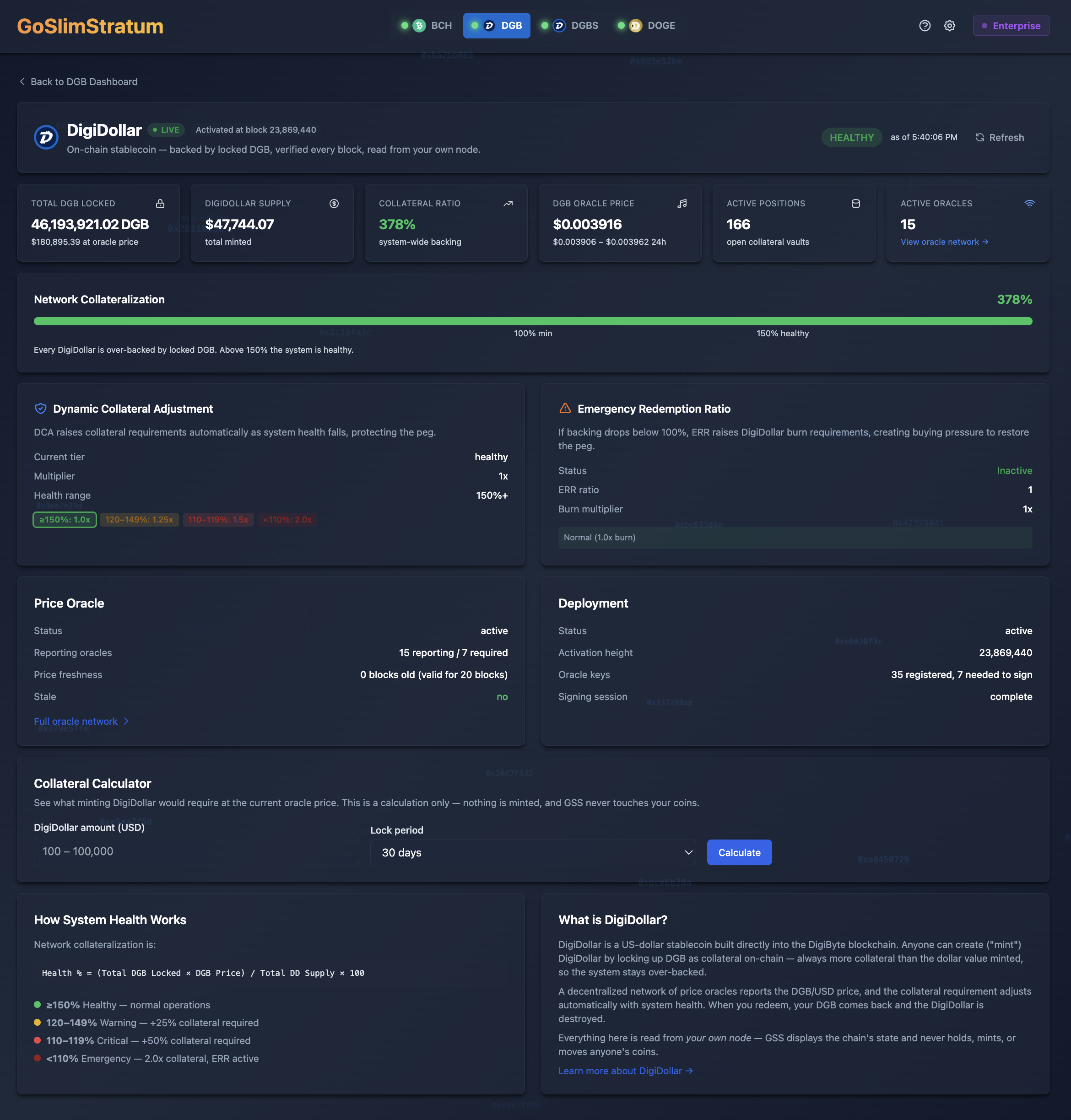
DigiDollar is DigiByte’s on-chain stablecoin — every dollar over-backed by DGB locked on-chain, now live on mainnet. GSS surfaces the whole system on a dedicated page for your DigiByte pools: collateralization and health, supply, oracle price and quorum, deployment state, and an interactive collateral calculator. Everything is read from your own node. GSS displays — it never mints, redeems, sends, or holds anyone’s coins.

  • Network collateralization with health tiers
  • DigiDollar supply, locked DGB, open positions
  • DGB oracle price with 24h range and staleness
  • Oracle network page — reporting vs. quorum
  • Collateral calculator across every lock tier
  • Plain-English explainer built into the page
Scope
Read-only
DigiByte pools
Data Source
Your own DGB node — no third-party price feeds
License
Free on every tier

Multi-Coin Support

BTC, FB, DGB, BCH, BCH2, BC2, BTCS, XEC, WJK, LTC, DOGE built-in. DGB supports all 5 algorithms, including Odo. Plus custom coins via config.

VARDIFF

Automatic difficulty adjustment per miner. Maintains consistent share submission rate.

ZMQ Block Notifications

Sub-millisecond latency for new block detection. Dual-mode: ZMQ + polling for redundancy.

Notifications

Stay informed via Discord, bidirectional Telegram, and email. Get alerts for blocks found, miner issues, and pool events. Starting at Professional.

BIP320 Version Rolling

Expanded nonce space for modern ASIC miners.

Automated Payouts

Block maturity tracking, configurable pool fees, automatic payment processing, including direct to miner's wallet address via block submission.

Built-in Web Dashboard

Real-time pool stats, miner list, block history, earnings, network info on port 3003.

Authenticated Access Control

Put the dashboard behind a username and password. Multiple users with bcrypt-hashed credentials in their own file, and sessions with a configurable timeout that slides while you stay active. Starting at Professional.

REST API

20+ endpoints for integration with external tools and monitoring systems. Enterprise.

Comprehensive Metrics

Pool hashrate, miner details, share submissions, block discovery, earnings tracking.

Block Odds

Straight answer to the only question that matters: what are your chances? Pool share of the network, estimated time to a block, and blocks per day and month — per coin. Merged-mining parents get an Aux Odds row computed against the aux chain, counting only the miners actually merging.

Direct-to-Miner Payouts

Block rewards go directly to each miner’s wallet via the coinbase transaction. No pool wallet, no payout delay. Per-miner coinbase outputs with configurable pool fee splits. Run it free on built-in coins by accepting a 0.5% revenue share, or license it and keep everything.

Built-in Block Explorer

Browse blocks, transactions, and mempool right inside GSS. No external explorer dependencies. Ideal for testnet, regtest, and obscure coins.

Pool Topology Visualization

Live animated canvas showing miners → GSS hub → coin node. Flowing particles represent shares, jobs, ZMQ, and GBT in real time.

Automatic Node Failover

Seamless switch to a backup blockchain node when the primary goes down. Mining continues without interruption. Smart failback on the next block boundary. Enterprise.

Screenshots

Explore the built-in GoSlimStratum web dashboard. Click any screenshot to enlarge.

Pool Dashboard
Pool Dashboard - Real-time hashrate, miners, shares, blocks, and block odds
Hash Hopper Miners
Hash Hopper - Every rig on the hopper port and the chain it is mining now
Hash Hopper Profile
Hash Hopper Profile - One payout address per chain, and the line to put in the miner
Miner Details
Miner Details - Per-worker performance and difficulty tracking
Blocks Dashboard
Blocks Dashboard - Block discovery history and statistics
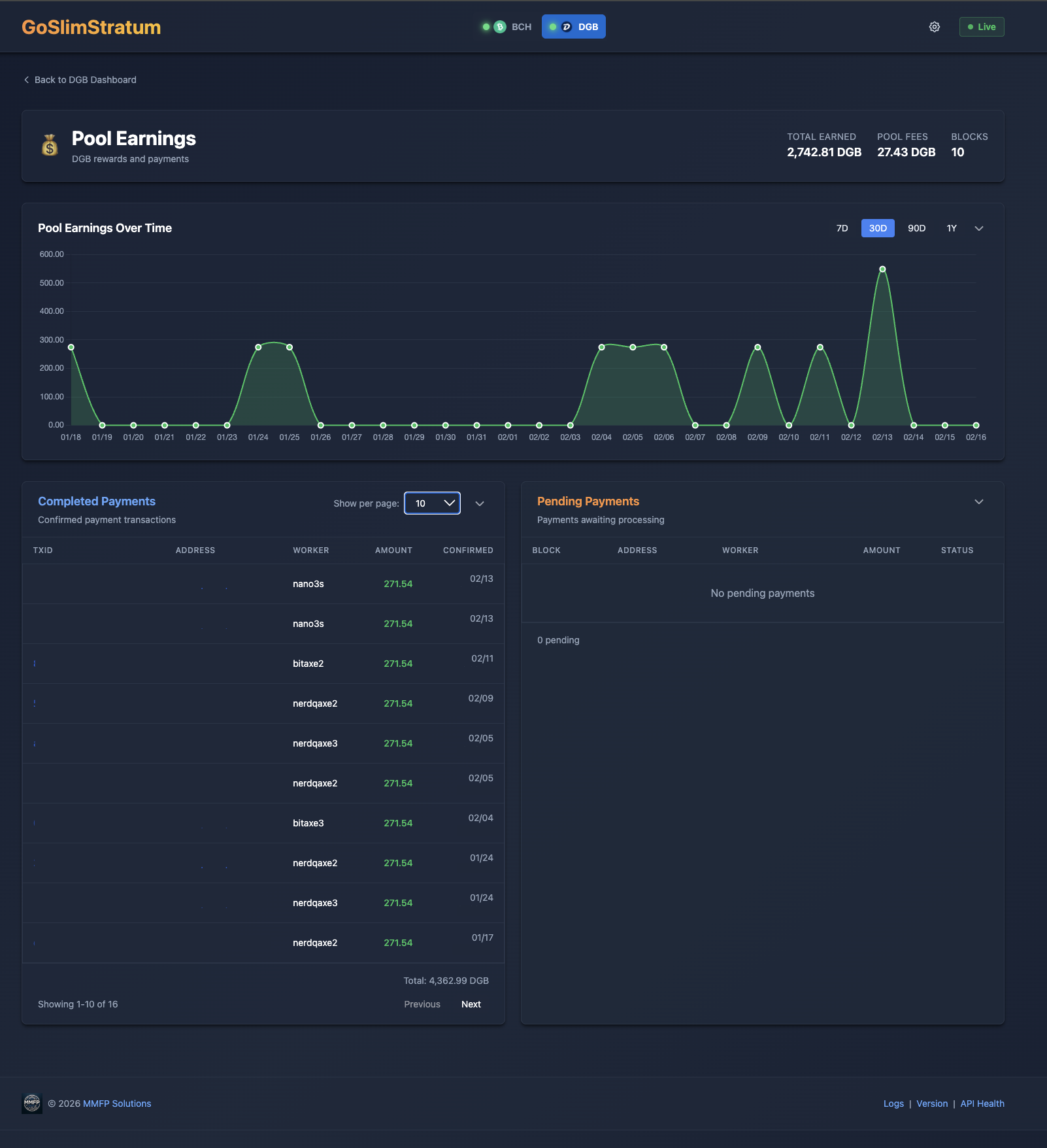
Earnings Dashboard
Earnings Dashboard - Pool earnings and payment tracking
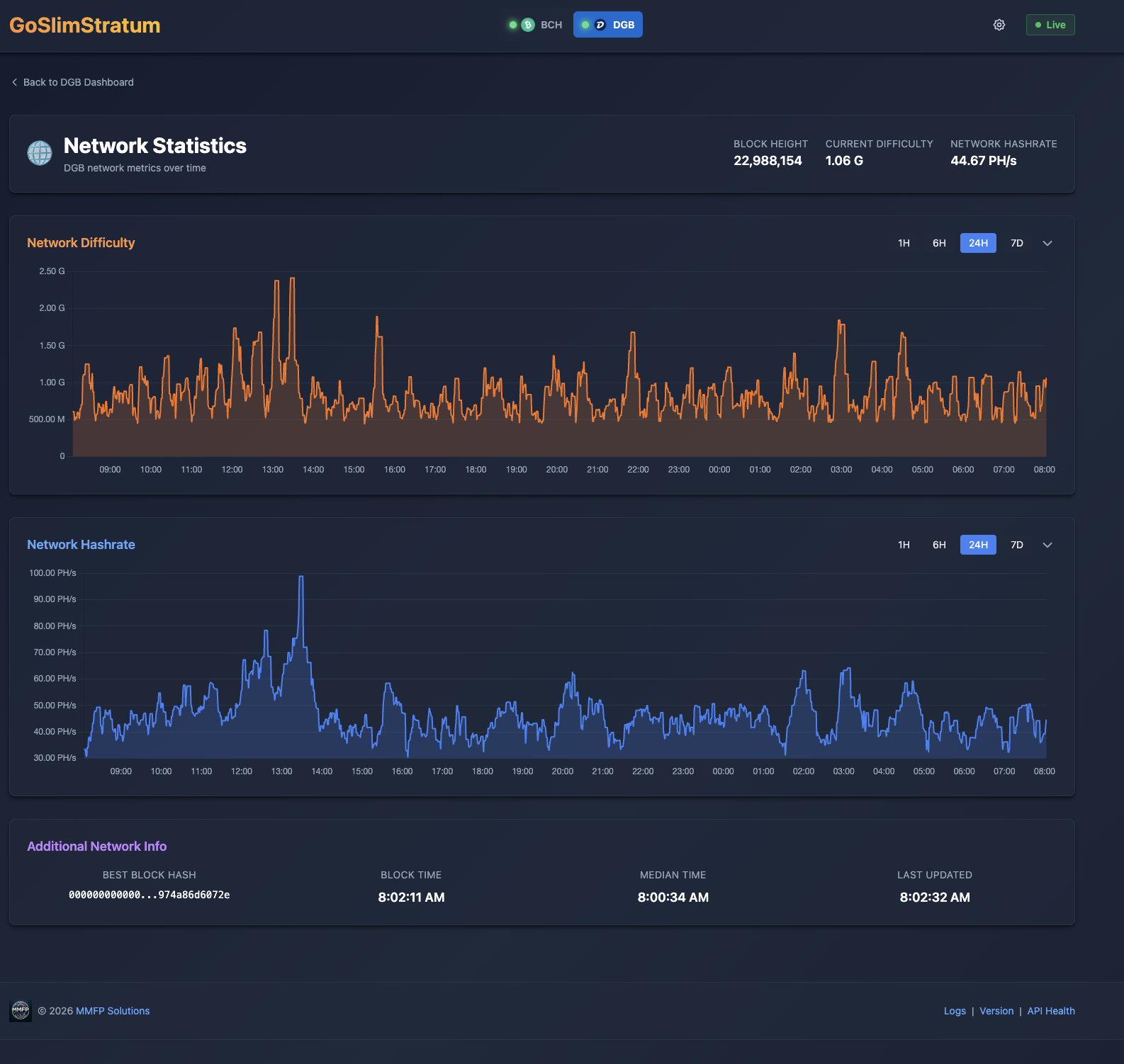
Network Statistics
Network Statistics - Blockchain difficulty and hashrate trends
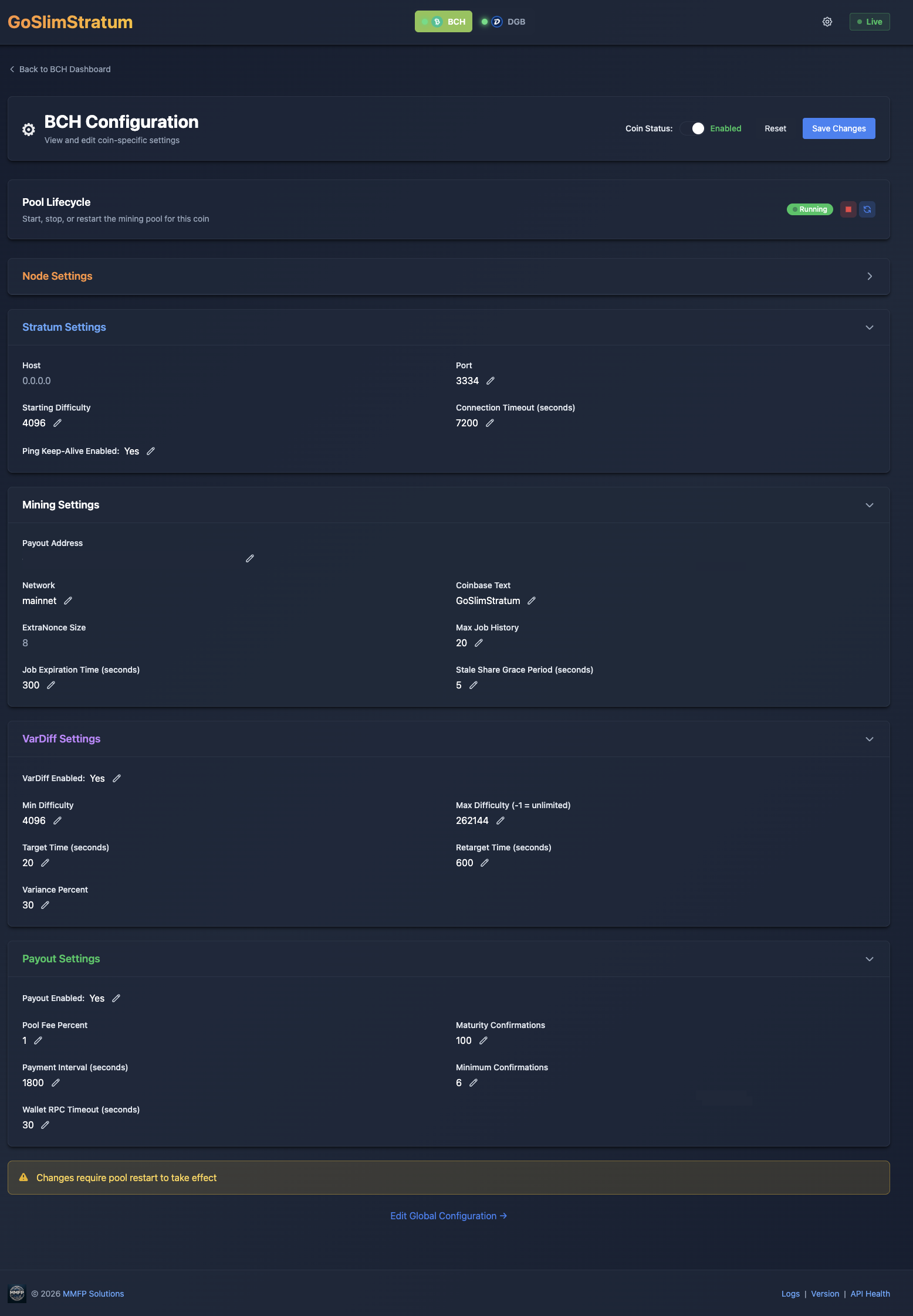
Pool Configuration
Pool Configuration - Per-coin pool settings
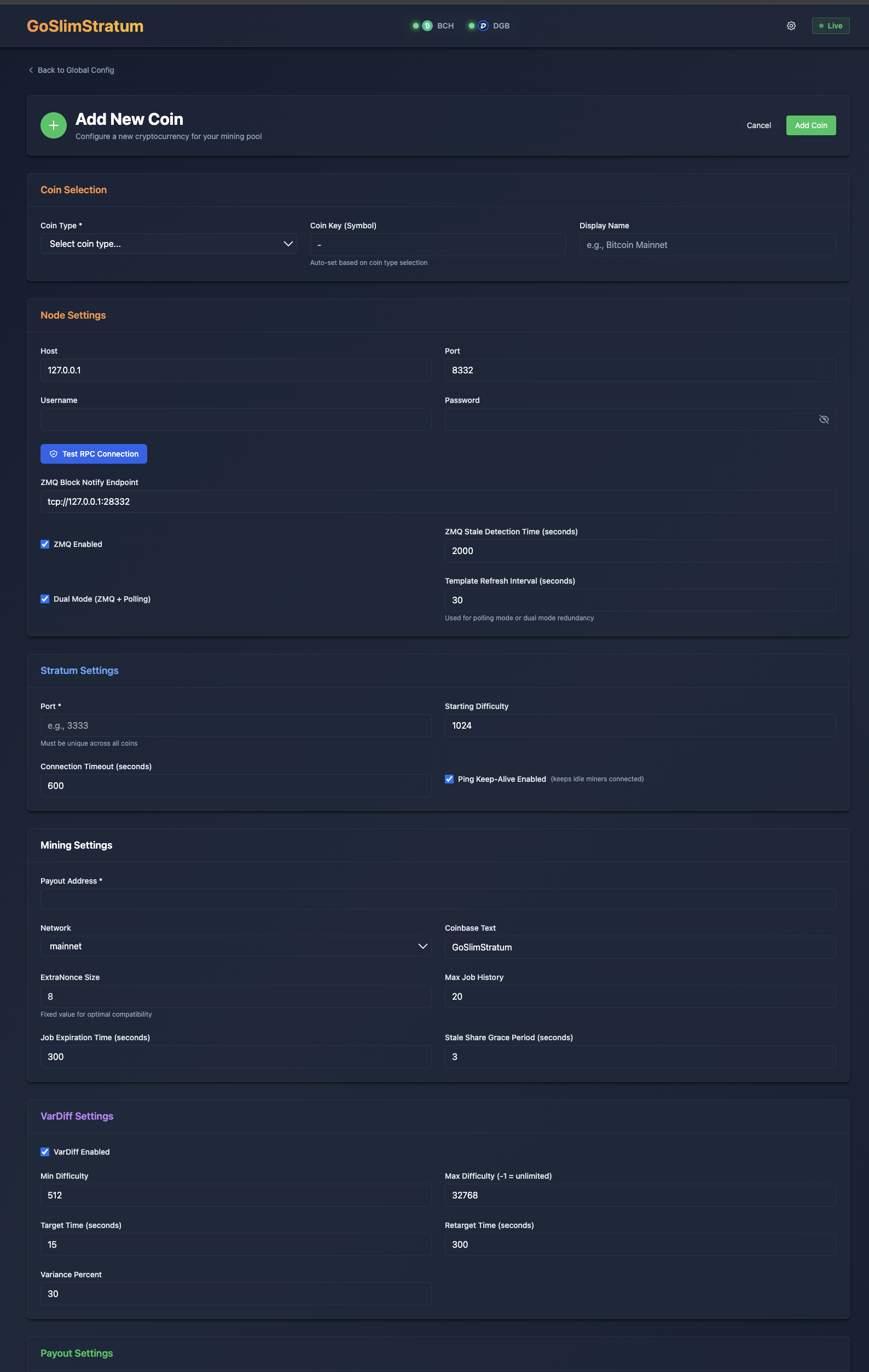
Add Coin Pool
Add Coin Pool - Configure new mining pools
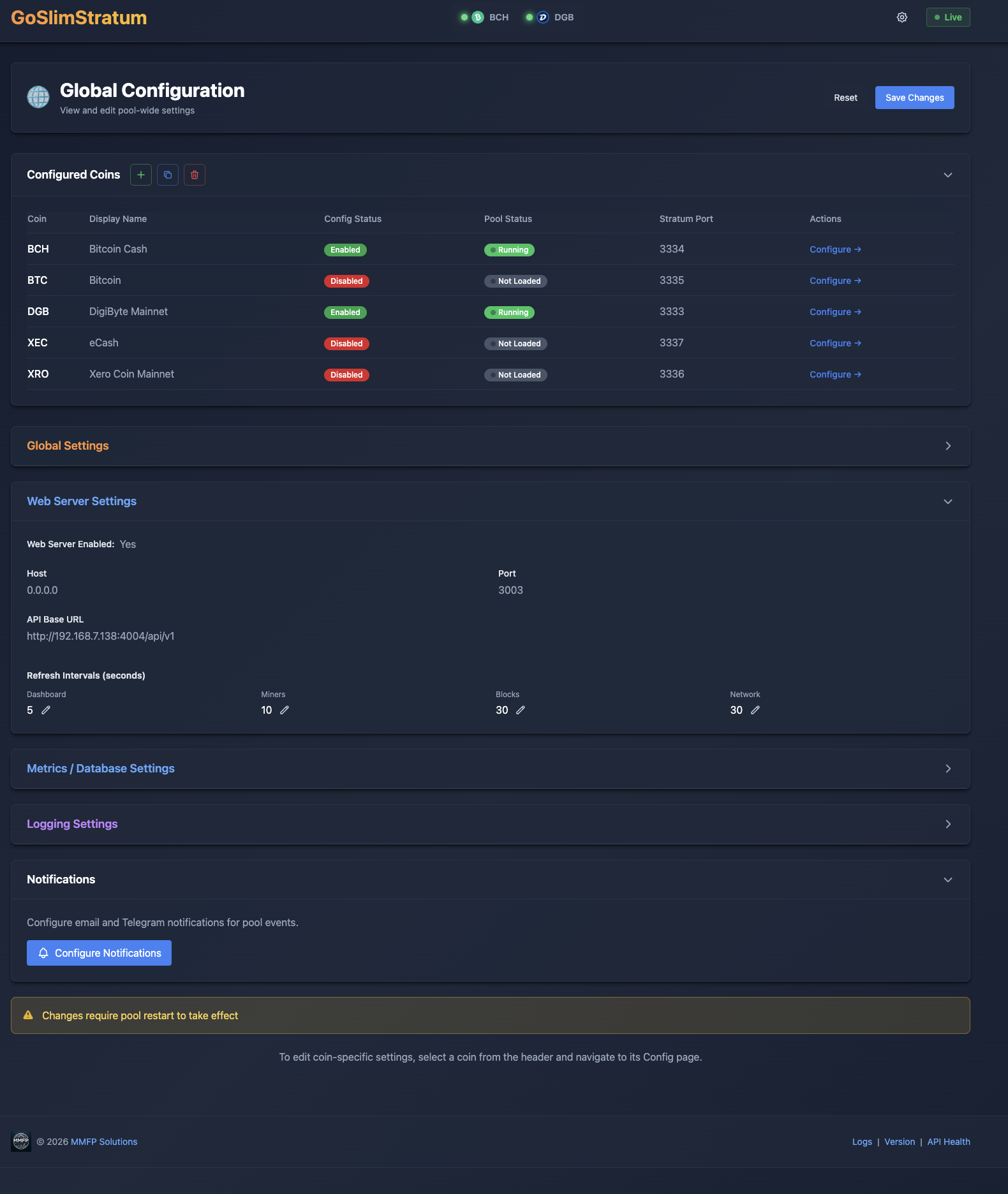
Global Configuration
Global Configuration - Server-wide settings
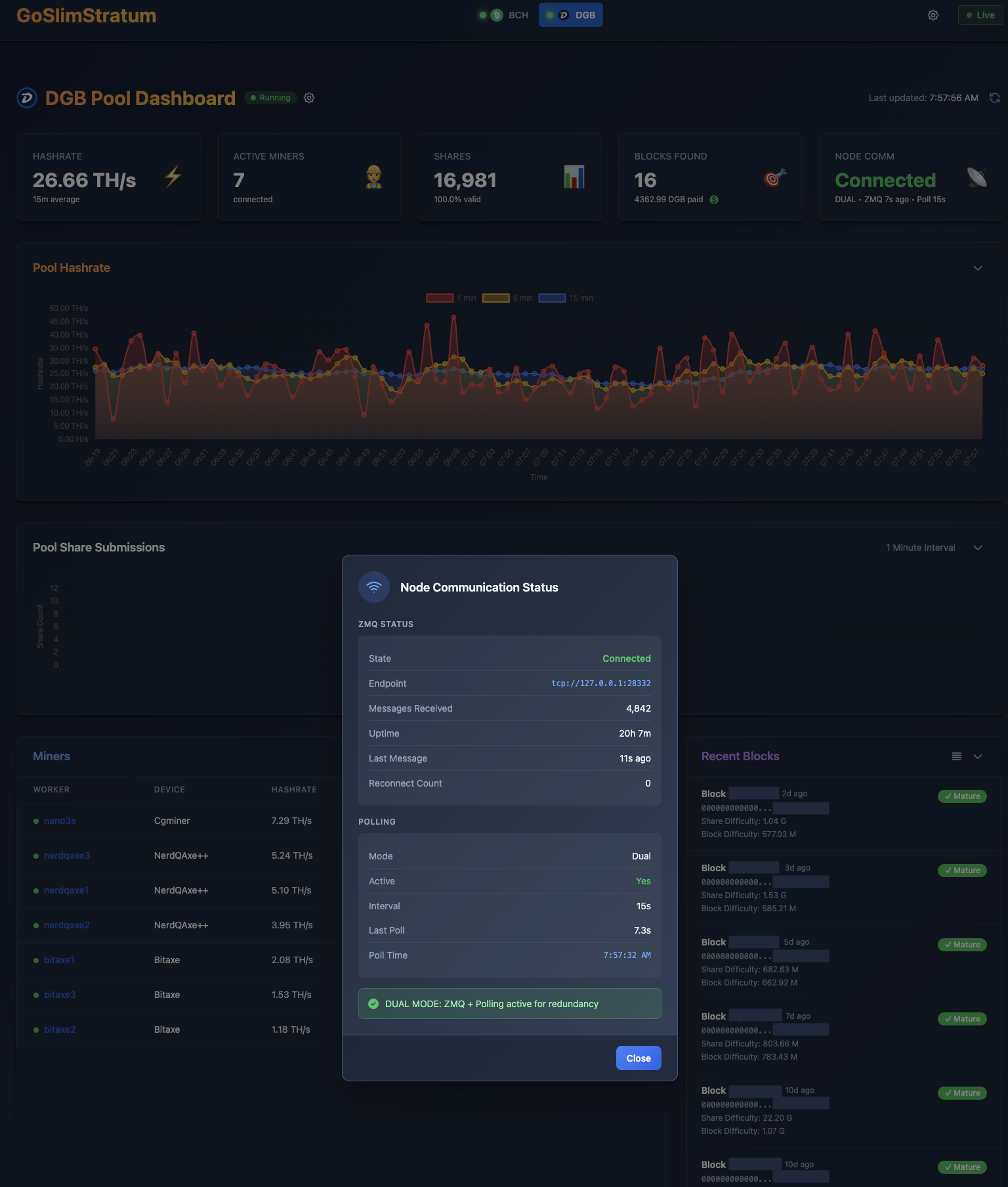
Node Communication
Node Communication - Node status and pool overview
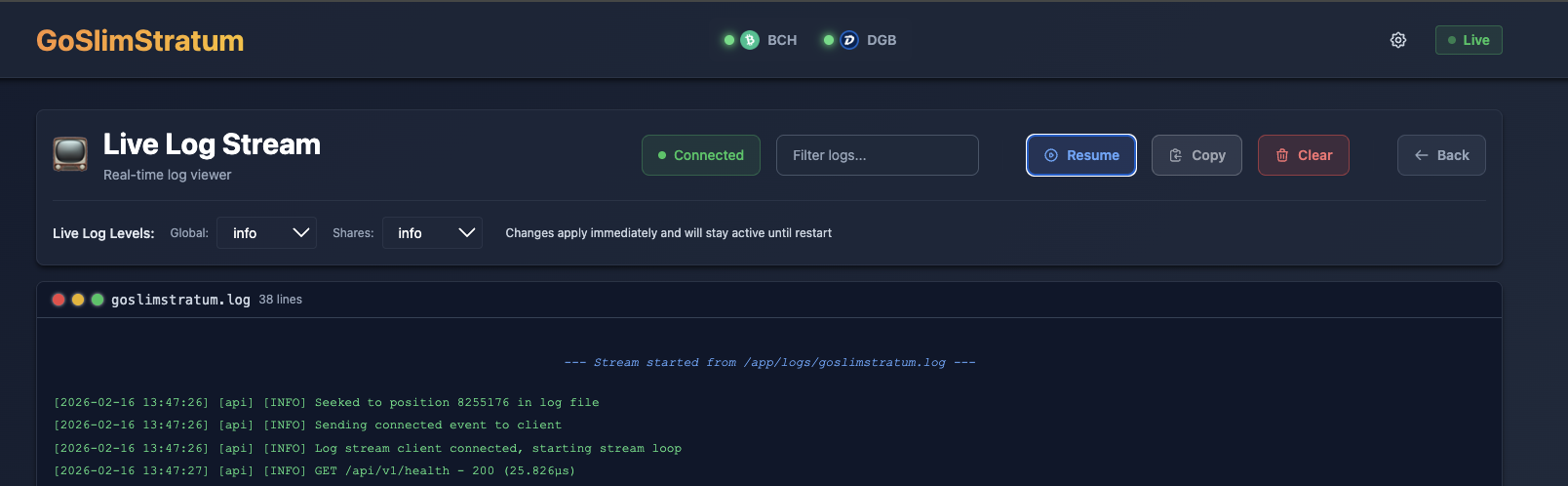
Log Streamer
Log Streamer - Real-time log viewing
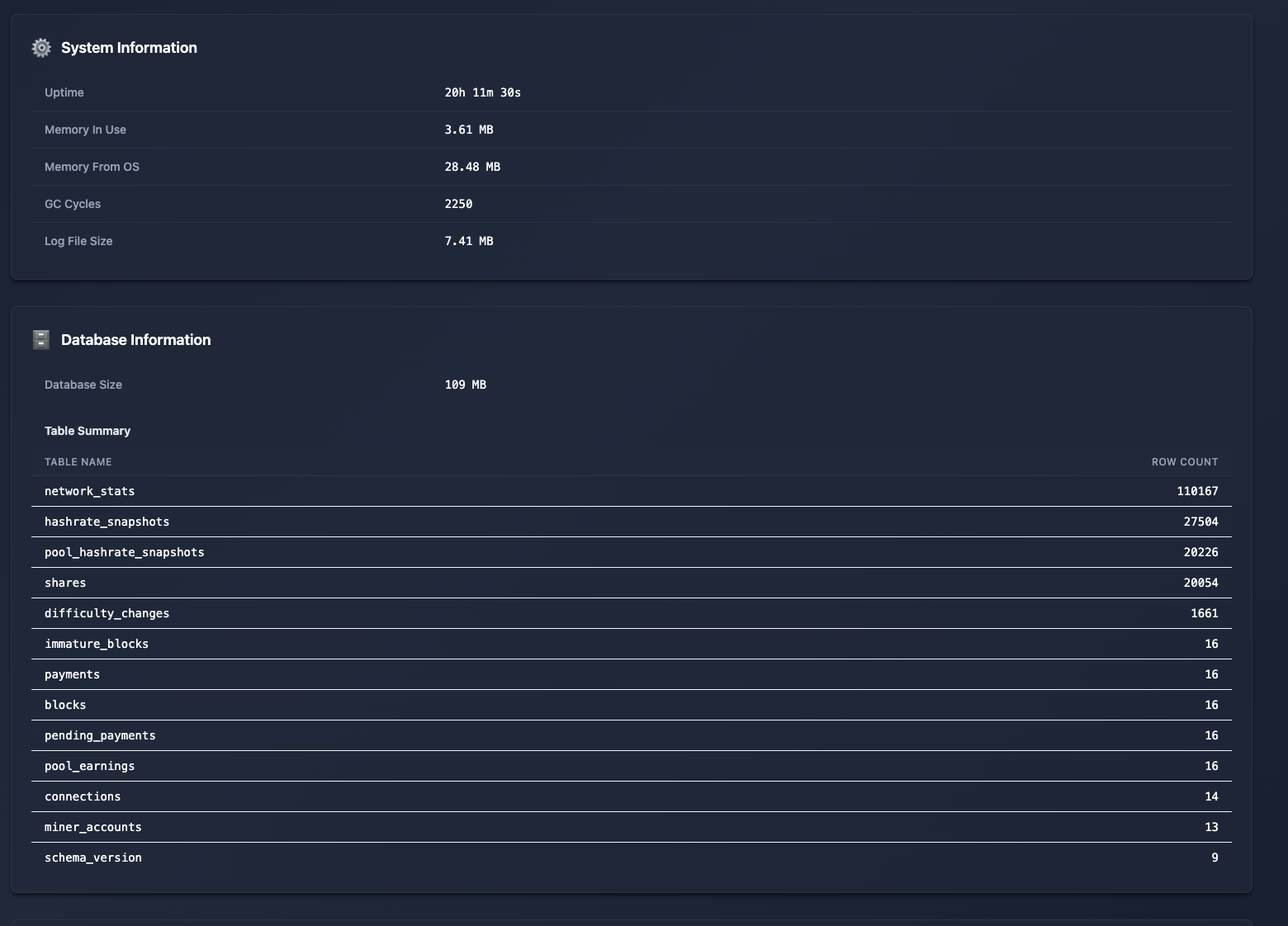
System Info
System Info - Server resource monitoring
DigiDollar Stats
DigiDollar Stats - Collateralization, oracle price, and calculator for DigiByte pools

Coin Configuration Guide

Built-in coins and additional SHA256d coin support via configuration.

Built-in Coins

Coin Symbol Algorithm Address Format
DigiByte DGB SHA256d, Scrypt, Skein, Qubit, Odo D..., S..., dgb1q..., dgb1p...
Bitcoin BTC SHA256d 1..., 3..., bc1q..., bc1p...
Fractal Bitcoin FB SHA256d 1..., 3..., bc1q..., bc1p...
Bitcoin Cash BCH SHA256d bitcoincash:q..., bitcoincash:p...
Bitcoin Cash II BCH2 SHA256d bitcoincashii:q..., bitcoincashii:p..., 1..., 3...
Bitcoin II BC2 SHA256d 1..., 3..., bc1q..., bc1p...
Bitcoin Silver BTCS SHA256d B..., 3..., bs1q..., bs1p...
eCash XEC SHA256d ecash:q..., ecash:p...
WojakCoin WJK SHA256d W..., 3...
Litecoin LTC Scrypt L..., M..., ltc1q..., ltc1p...
Dogecoin DOGE Scrypt D..., 9/A...

Plus bring your own coin via coins.json configuration

Any standard SHA256d coin following Bitcoin standards can be added.

See FAQ for more details →

Frequently Asked Questions

Common questions about GoSlimStratum and solo mining.

Simple, Transparent Pricing

Free to start. Scale when you need to.

Free
$0

25 miners

10 pools

Professional
$149 one-time

Unlimited miners

Unlimited pools

Enterprise
$499 one-time

Commercial use

Support options